
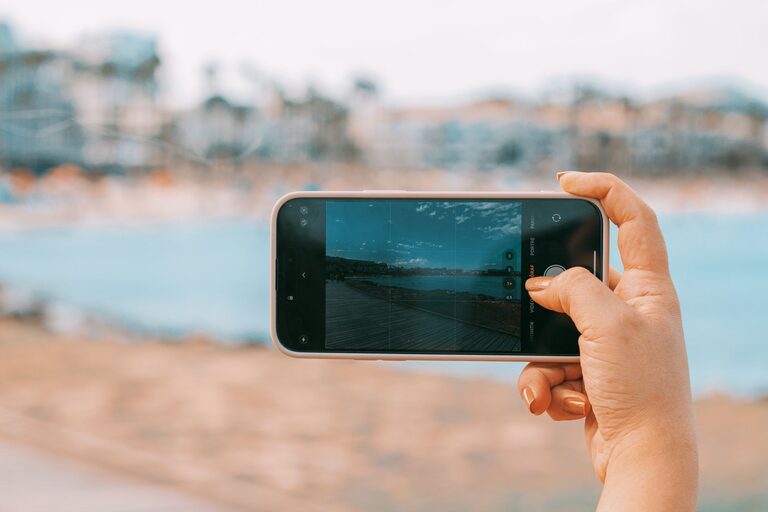
Taking great photos with your phone is easier than you might think. With just a few simple tips and a little practice, you can transform your snapshots into eye-catching images. Whether you’re capturing memories, sharing moments on social media, or exploring photography as a hobby, these beginner-friendly tips will help you get the most out of your smartphone camera.
Understand Your Phone Camera Features
Before diving into taking photos, get familiar with your phone’s camera features. Most smartphones come with multiple shooting modes, settings, and tools designed to help you take better pictures.
– Explore Camera Modes: Try out portrait, panorama, night mode, and other options.
– Adjust Exposure: Tap on the screen to focus and adjust brightness before snapping.
– Use Gridlines: Enable gridlines in settings to help compose balanced photos using the rule of thirds.
Spending a little time exploring these features can make a big difference in how your photos turn out.
Focus on Composition
Good composition is the foundation of a great photo. Here are some straightforward composition tips to keep in mind:
Use the Rule of Thirds
Imagine your screen divided into nine equal parts by two horizontal and two vertical lines. Place the main subject along these lines or at their intersections for a more balanced and interesting photo.
Find Leading Lines
Leading lines guide the viewer’s eye through the photo. Look for roads, paths, fences, or architectural lines to add depth and direction.
Keep It Simple
Avoid cluttered backgrounds or distracting objects. A clean background helps your subject stand out.
Change Your Perspective
Experiment with different angles – shoot from low down, up high, or from the side – to create unique and engaging photos.
Pay Attention to Lighting
Lighting greatly impacts the quality of your photos. Here are some lighting tips:
– Use Natural Light: Whenever possible, use daylight rather than artificial light.
– Avoid Harsh Midday Sun: Bright sunlight can create strong shadows and highlights. Early morning or late afternoon (golden hour) offers softer, warmer light.
– Avoid Backlighting: Make sure your subject is well-lit by facing the light source.
– Use Shadows Creatively: Sometimes shadows can add drama and interest to a photo.
Keep Your Lens Clean
A dirty lens can cause blurry or hazy photos. Regularly wipe your phone’s camera lens with a soft, lint-free cloth to keep it clean.
Hold Your Phone Steady
Shaky hands can blur your photos. To reduce this:
– Hold your phone with both hands.
– Brace your elbows against your body.
– Use a stable surface or tripod for added steadiness.
Use Zoom Sparingly
Avoid digital zoom as it reduces image quality by cropping and enlarging the photo. Instead, move closer to your subject when possible.
Experiment with Editing Apps
Editing can enhance your photos by adjusting brightness, contrast, color, and cropping. Popular free apps include Snapseed, Lightroom Mobile, and VSCO.
Keep edits subtle to maintain a natural look. Learn basic adjustments like exposure, saturation, and sharpening to improve your images.
Practice Regularly
The best way to improve is by practicing frequently. Take photos in different settings and lighting conditions. Review your work, learn from mistakes, and try new techniques.
Additional Tips for Specific Subjects
Portraits
– Focus on the eyes.
– Use portrait mode if your phone has it.
– Find soft, diffused lighting for flattering skin tones.
Landscapes
– Use wide-angle mode if available.
– Include an interesting foreground element.
– Keep the horizon straight.
Food and Close-Ups
– Use macro mode or tap to focus closely.
– Use natural window light.
– Compose with simple backgrounds.
Final Thoughts
Taking better photos with your phone is about paying attention to details and practicing often. With these tips, you’ll be able to capture clearer, more compelling images that you’ll love to share and keep. Remember, the best camera is the one you have with you – and your smartphone is a powerful tool waiting to help you tell your visual story.
Happy shooting!